This is a step-by-step guide on how to replace the locking disc and the rod locks
for the Profoto Soft Zoom Reflector 180- and 120.
Spare Parts:
Locking disc for Soft Zoom Reflector
Art no 464360
Rod locks for Soft Zoom Reflector 180
Art no. 464361
Rod locks for Soft Zoom Reflector 120
Art no. 464362
Instructions:
1. Unscrew the four screws with a H3 drive.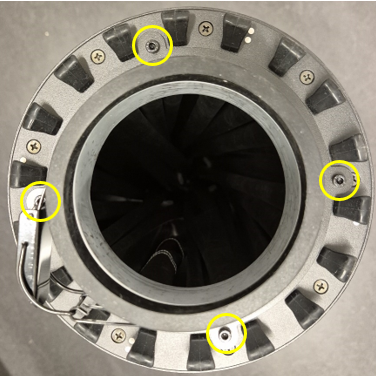
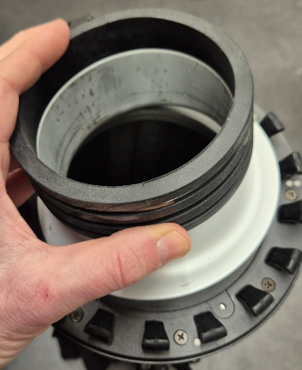
2. Remove the collar and holder.
 3. Unscrew nine screws with a PH2 drive and remove the Locking disc.
Notice orientation of Locking disc and assembly the new spare part.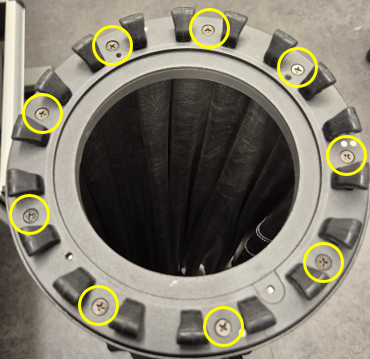
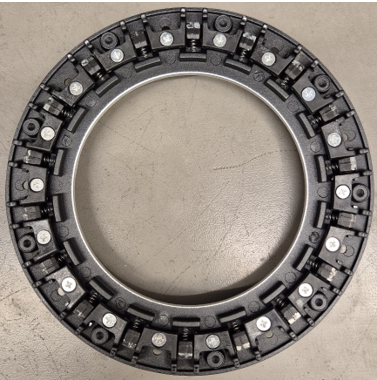 4. To change the Rod lock, push out of lock.
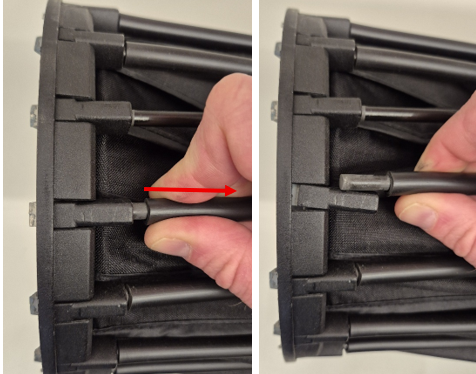 5. Push out Rod lock and change to new spare part. Push the rod back in the lock.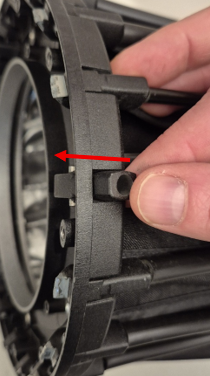
Was this article helpful?
That’s Great!
Thank you for your feedback
Sorry! We couldn't be helpful
Thank you for your feedback
Feedback sent
We appreciate your effort and will try to fix the article