If the firmware update fails, the Connect will enter Recovery Mode. You should be able to reconnect the device in
the app and run the recovery process.
Follow the steps below depending on the status of your Connect:
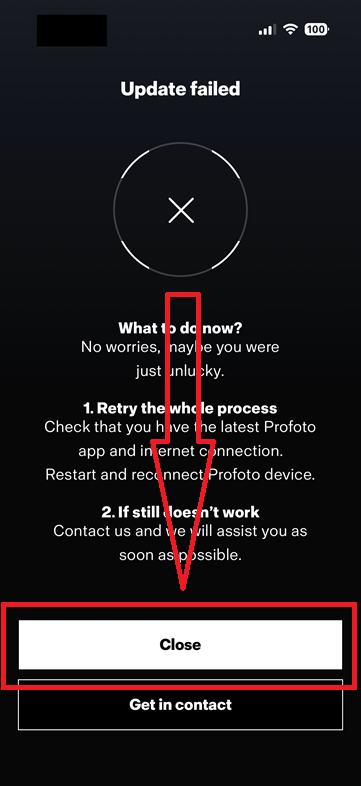
If the “Update Failed” message is still open in the app
Simply click on the "Close" button.
Reconnect the Connect Pro to the app
Start the recovery process
Once the Connect Pro is connected, a Recovery progress bar will appear at the top of the app. The recovery process
should startautomatically. If it does not, simply tap the recovery indicator to start the process.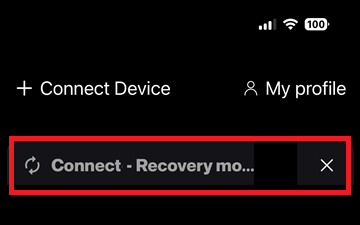
Restart the firmware update
Once the recovery is complete, the Update window will reappear in the app. You can then restart the firmware
update process.
If you continue to experience problems, please don't hesitate to create a support ticket here:
https://support.profoto.com/support/tickets/new
Our team will be happy to assist you further. Thank you for your patience!
Was this article helpful?
That’s Great!
Thank you for your feedback
Sorry! We couldn't be helpful
Thank you for your feedback
Feedback sent
We appreciate your effort and will try to fix the article